Your day,
one tap away.
Talk, and Sidekick writes it down — clean, in any language — then turns it into notes, to-dos and tomorrow’s plan. No gadget to buy. Just the phone in your hand.
- No gadget to buy — your phone is the mic
- 40+ languages
- No credit card to start
Call the supplier back 📞
Pitch deck — final polish ✨
Idea: weekend pop-up 🎪
Groceries: oat milk, lemons 🍋
Made for people who think out loud and still have to ship the work.
See it work
This is the whole product.
You talk the way you actually talk. Sidekick does the tidying.
um okay so — call Hartley Dental back, they want two more chairs, uh and I need to approve the Lakeview brochure proof, that's Thursday I think? and text Sam the new pricing before end of day, oh and Mrs Osei moved her fitting to Thursday 2pm
Spoken · 19 seconds · any of 40+ languages
- Call Hartley Dental — quote for 2 more chairsToday
- Approve the Lakeview brochure proofThu
- Text Sam the new pricingToday · 5:00 PM
- Mrs Osei — fitting moved to Thu 2:00 PMThu · 2:00 PM
Reminders set · added to tomorrow’s plan · nothing retyped
No recorder to charge. No transcript to reread. The note is the finished work.
The tour
Three things it does, every day.
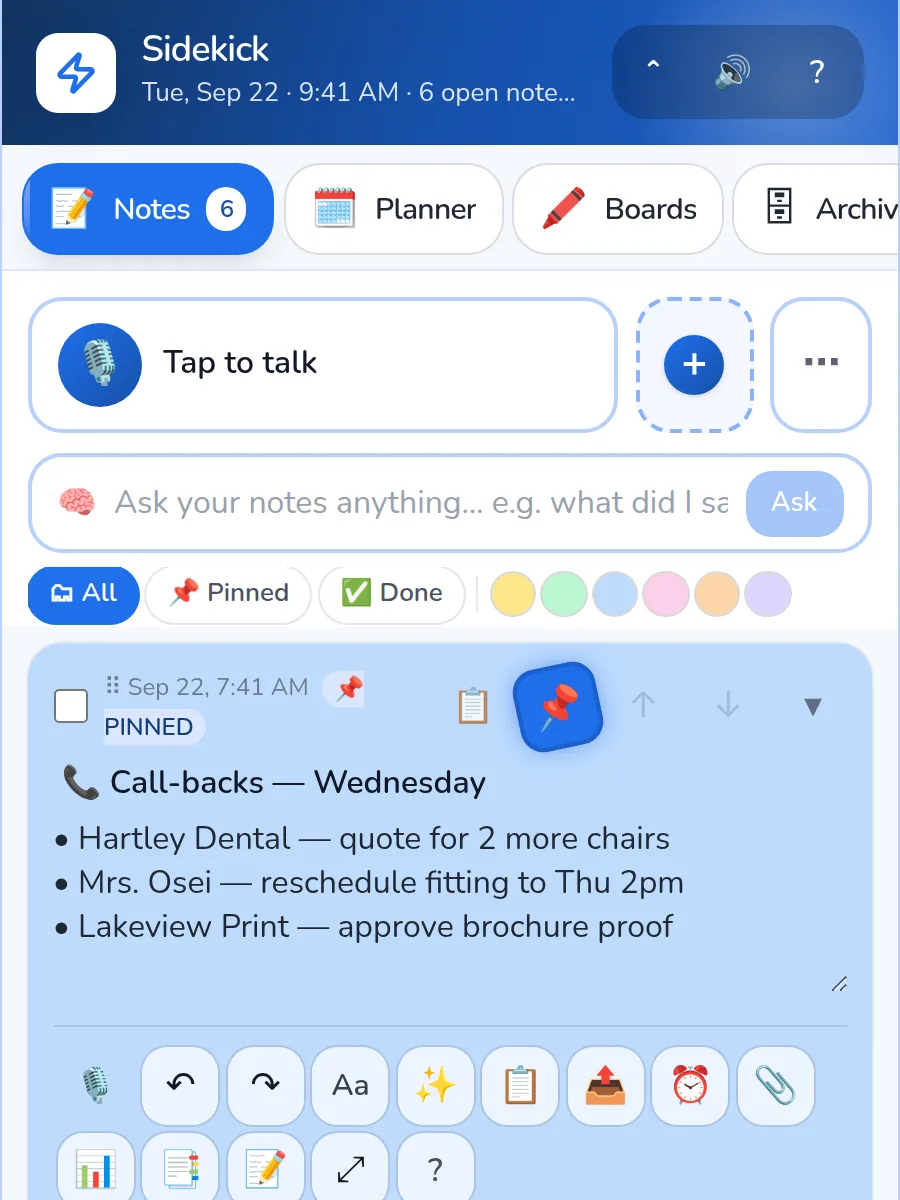
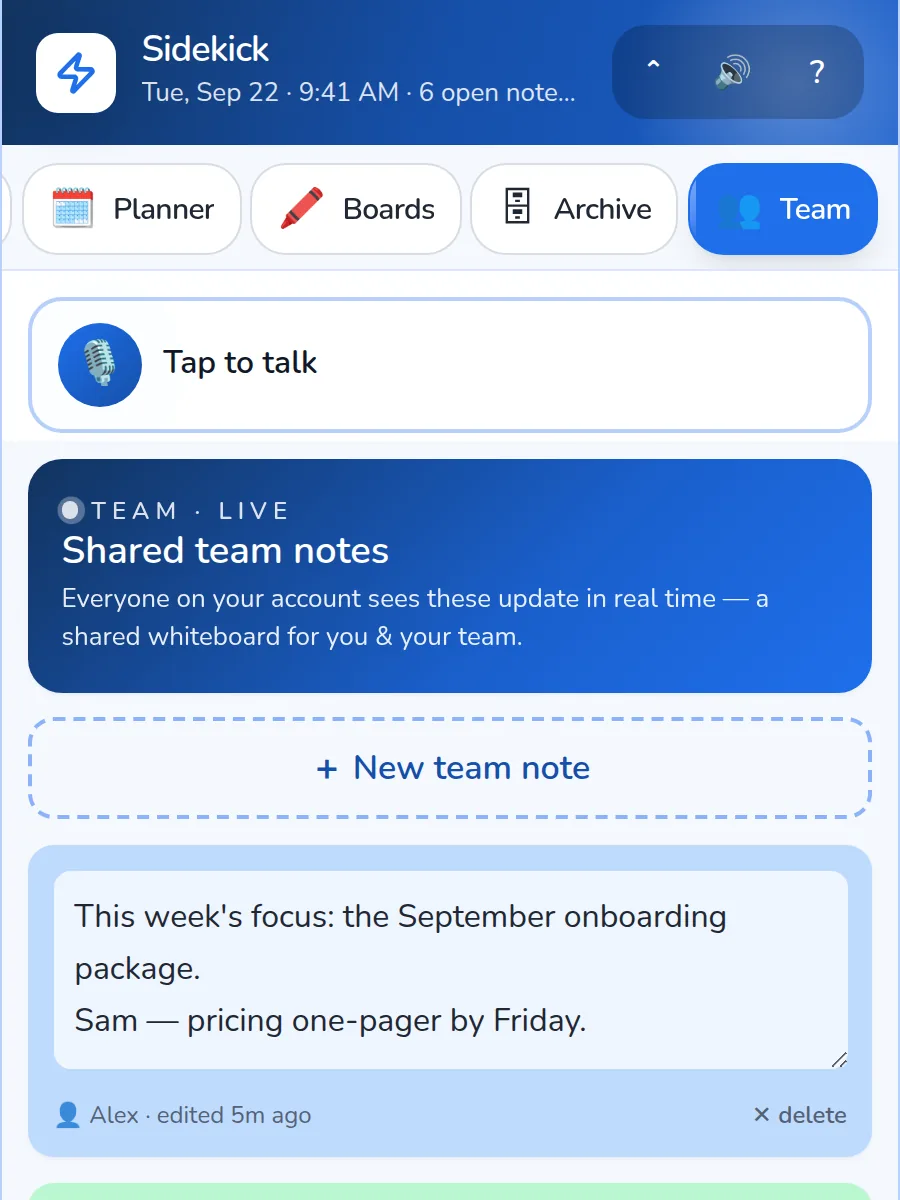
Notes & boards
Capture at the speed of thought.
A note takes two seconds: tap, talk or type, done. Color it, pin it, stack it on a board — and paste in a screenshot when words aren’t enough.
- Sticky notes with colors, pins, checklists & images
- Boards and whiteboards for every project — drag, stack, rearrange
- Team spaces update live, for everyone, as you type
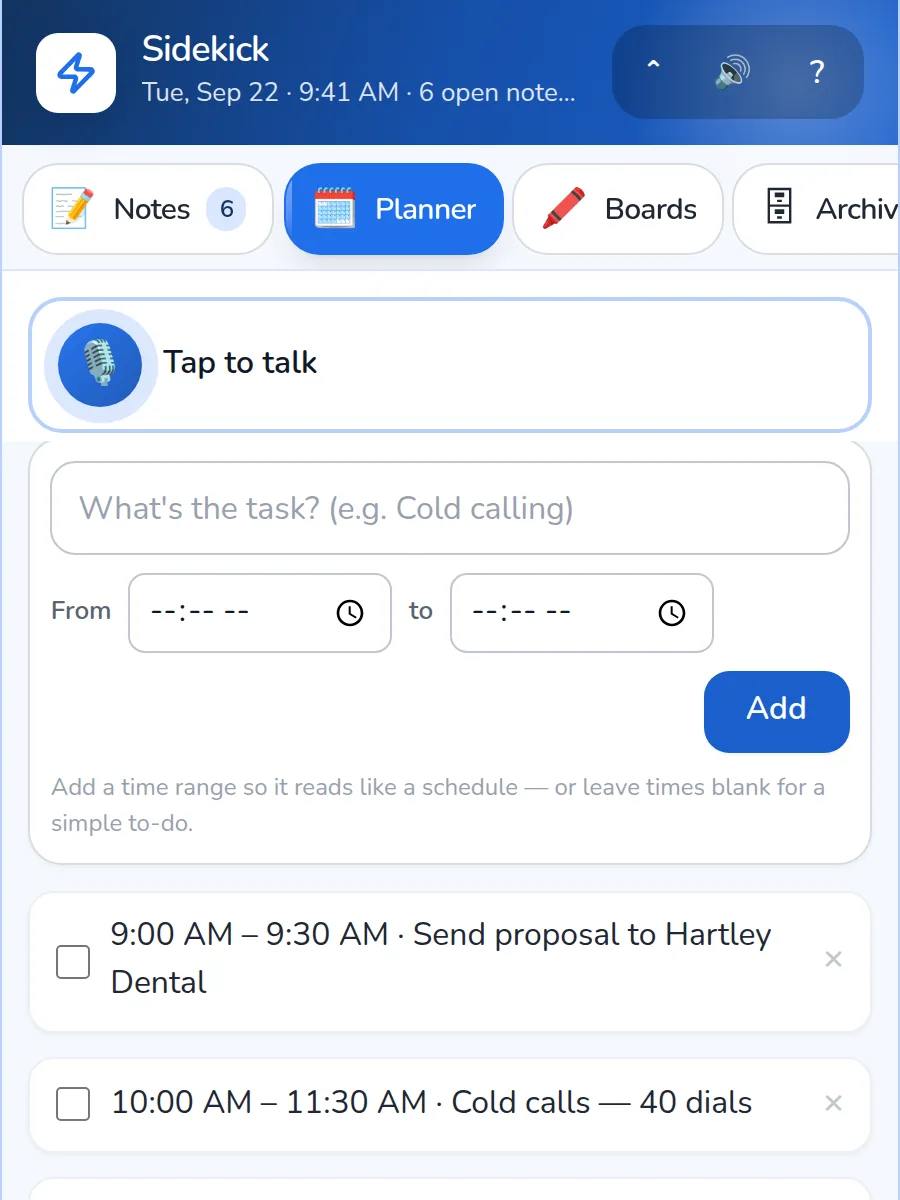
Tomorrow’s plan
Wake up to a plan.
Say what tomorrow needs before you log off. Sidekick turns it into timed to-dos on your day — then texts you the plan and nudges you at 7 AM, so the morning starts already decided.
Dictation
Say it in any language. It lands as a perfect note.
Tap to talk — or hold Ctrl+Space — and speak naturally. Sidekick transcribes and polishes automatically, then files it where it belongs: a note, a priority, tomorrow’s plan.
Sidekick vs an AI recorder
Different jobs, honestly.
Plaud, Bee and Pocket are built to sit in a meeting and capture the room. Sidekick is built for the ninety seconds after it, when the thing in your head needs to become work.
If you need a record of a two-hour meeting, buy the recorder — it is the better tool for that. If what you need is the thought you had walking back to the car, already written up and on tomorrow’s list, that is this.
Features
Everything your day throws at you, caught.
One app for the notes you scribble, the things you say, the ideas you chase and the plans you make.
Notes & sticky boards
Colorful sticky notes on flexible boards — organized the way your brain already works.
Voice dictation, any language
Talk in English, Spanish, Urdu or Mandarin — Sidekick types it out instantly, accents and all.
Tomorrow, planned
Talk through tomorrow and it lands as timed to-dos — with a 7 AM reminder and the plan sent to your phone.
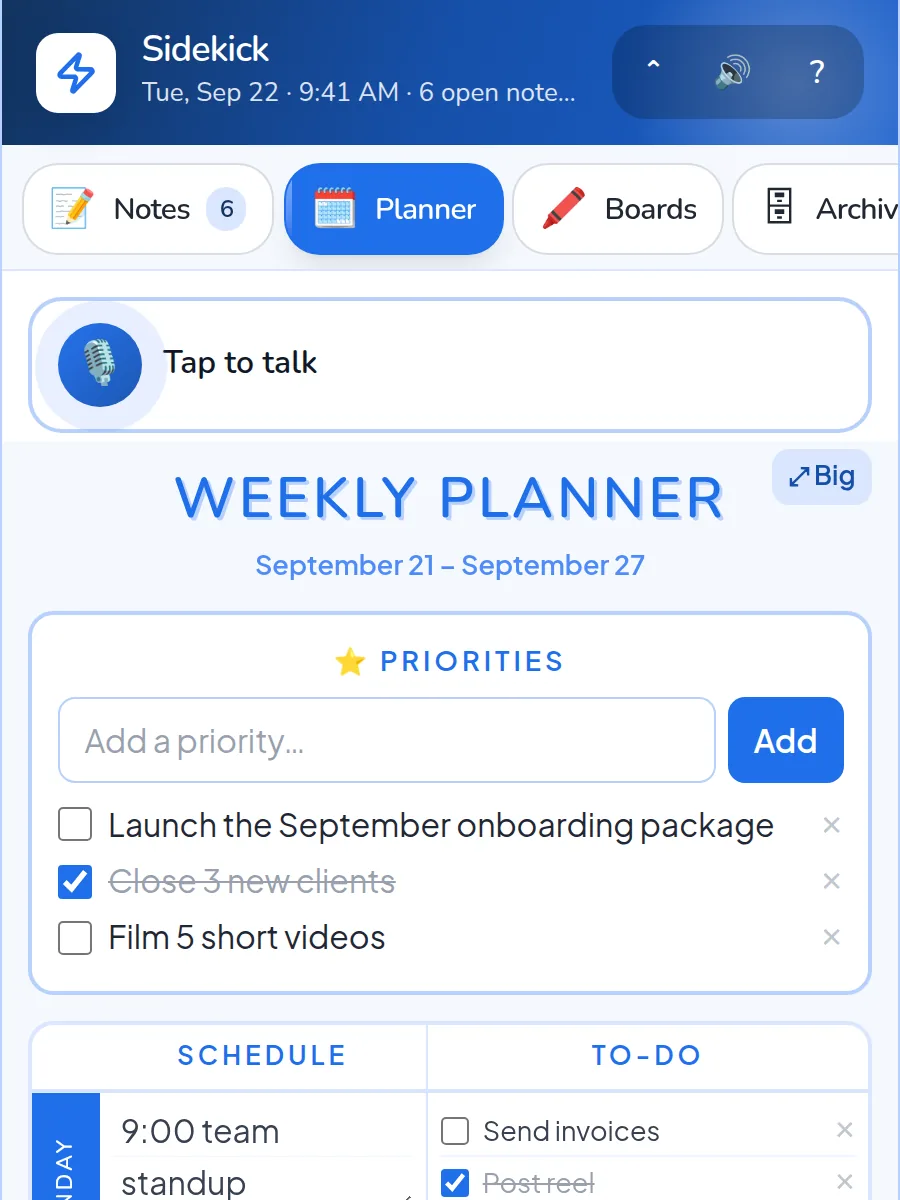
Planner & boards
Drop tasks onto days and watch a scattered week turn into a plan that makes sense.
Team spaces
Share boards with your team — everyone sees the same picture, and changes land live.
Draw on your phone
Scan a QR code and your phone becomes the pen for any whiteboard. Sketch there, see it here.
Concierge AI
Ask your notes anything — draft, translate, summarize, or turn a voice memo into a tidy plan.
Works everywhere
Now on the App Store for iPhone, in any browser, plus Android early access. Everything stays in sync.
Turn this into…
Say it messy once. Get it twenty ways.
One tap turns a rambling voice note into the email, the to-do list, the reply or the post you actually needed.
Then send it anywhere
One app instead of eight
Get the app
One branded app across every platform
App Store • Android early access • Instant web link — one account, every device you own.
No install needed to start — the web app works on any phone or computer, worldwide.
Android .apk: open the file after download and allow the install when your phone asks — the Google Play listing is on its way.
🔒 Privacy-first — the app only needs internet and your microphone (for voice notes). It never reads your email, your messages, or other apps. Sign in with Google, Apple or your phone, so there's no password to reuse.
Pricing
One plan. Everything included.
Try everything free for 7 days — then keep it all with Sidekick Pro.
Sidekick Pro
7-day free trialOr $119.88/year — 50% off.
7-day free trial · cancel anytime
Start 7-day free trialNo charge until your trial ends.
- Unlimited notes & boards
- Voice dictation in any language
- AI polish, “Turn into…” & Ask your notes
- Team spaces
- Concierge AI
- iPhone app (App Store) + web — Android on the way
Privacy
Your notes stay yours.
It captures your voice — not the room. No always-on microphone, no selling your data, no surprises.
Private by default
Your notes live in Sidekick’s own encrypted database — never sold, never used for ads.
Only when you tap
Sidekick only listens after you tap the mic — and stops when you’re done. Nothing records in the background.
You decide on AI
The first time you use AI, Sidekick shows exactly what goes where — and asks before anything is sent.
Delete anything, anytime
Delete notes whenever you like — or your whole account from Settings, which wipes everything for good.
From the team behind ThreeDay Digital
Already run your business on ThreeDay Digital?
Log in with the same email and password — your notes sync automatically between Sidekick and your ThreeDay command center. No imports, no setup, no second account to remember.
Log in with ThreeDayFAQ
Questions, answered.
Is Sidekick free to start?
What does Sidekick cost?
What happens after my trial?
How is Sidekick different from an AI recorder?
Do I need a ThreeDay Digital account?
Which languages does voice dictation support?
Where is my data stored?
Is there an iOS or Android app?
Give your day a Sidekick.
Join in about 20 seconds — bring your voice, your notes and your plans.